Managing Your Teams
For: Coaches, Team Admins, Mentors
You can manage multiple teams at the same time in Lumieos. Everything starts from View My Teams in the sidebar, which opens the Team Management page.
The page is organized into tabs:
- View Your Teams — the teams you coach or are a member of.
- Join a Team — invitations waiting for you to accept or decline.
- Create a Team — start a brand new team. This tab only appears in regions that run team formation through Lumieos.
- View All Teams — browse every team in your region’s public directory.
Selecting a Team
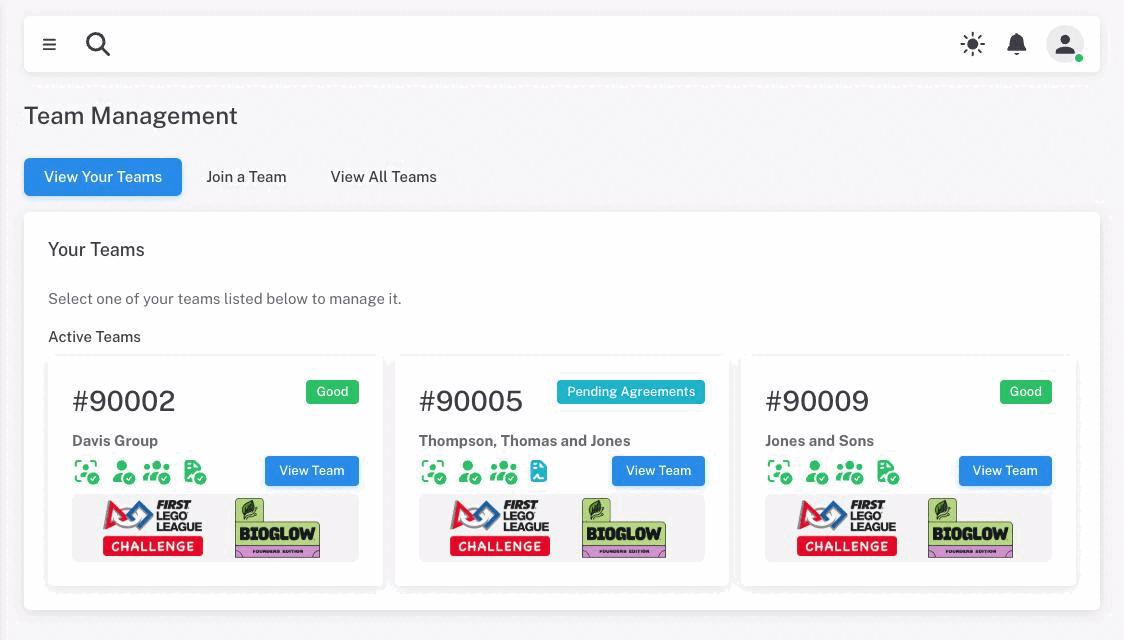
Your teams are grouped under Active Teams and, where applicable, Inactive Teams. Inactive teams are ones from a previous season that have not returned this season.
Each card shows:
- The team number, or Draft if the team has been created but not yet paid for
- The team name
- A status badge — see Team Status & Compliance
- A row of compliance icons summarizing screening, coaches, roster and agreements at a glance. Hover any icon for a breakdown.
- The program and season logos
Click View Team to open that team’s management page.
Tip: Right-click View Team (or press and hold on mobile) to open a team in a new tab. This lets you work on several teams at once in different browser tabs.
A team that is inactive but not a draft shows a plain Not Active badge rather than its real status. Open the team to see more.
Accepting an Invitation
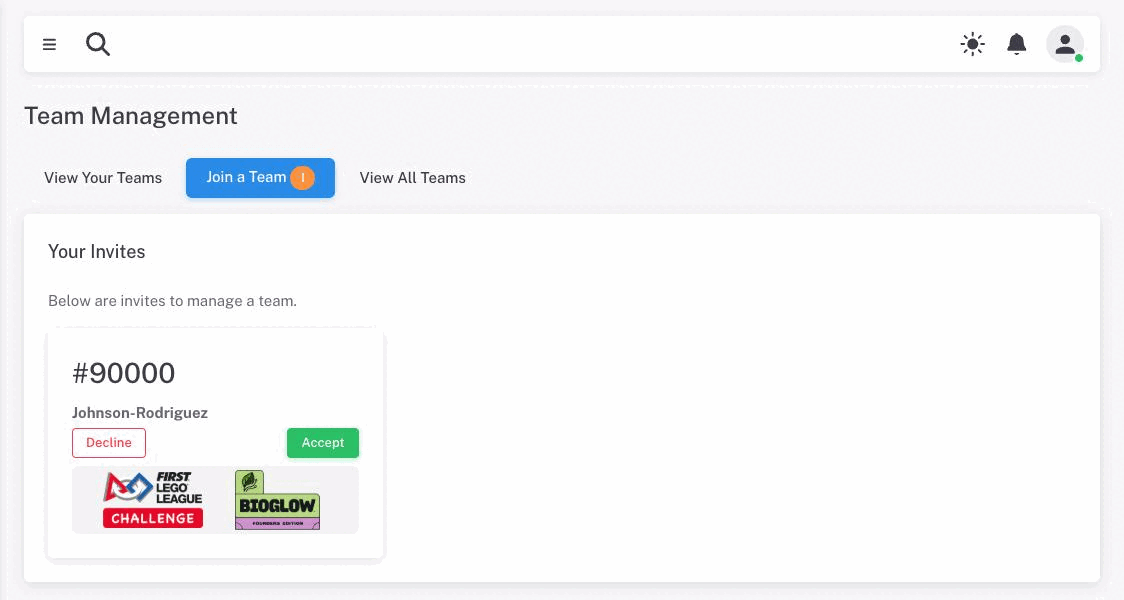
The Join a Team tab lists invitations addressed to any of your verified email addresses. A number badge on the tab tells you how many are waiting.
Each invitation shows the team number and name, with two buttons:
- Accept — confirms, then takes you straight into that team.
- Decline — confirms, then removes the invitation.
Both ask you to confirm first.
Warning: Declining is not reversible from your side. The invitation is deleted outright, and the coach who sent it would have to send a new one.
If an invitation you were expecting is not listed, it may already have been resolved — if you were added to that team’s roster by another route, the invitation is quietly marked as used and disappears.
Browsing All Teams in Your Region
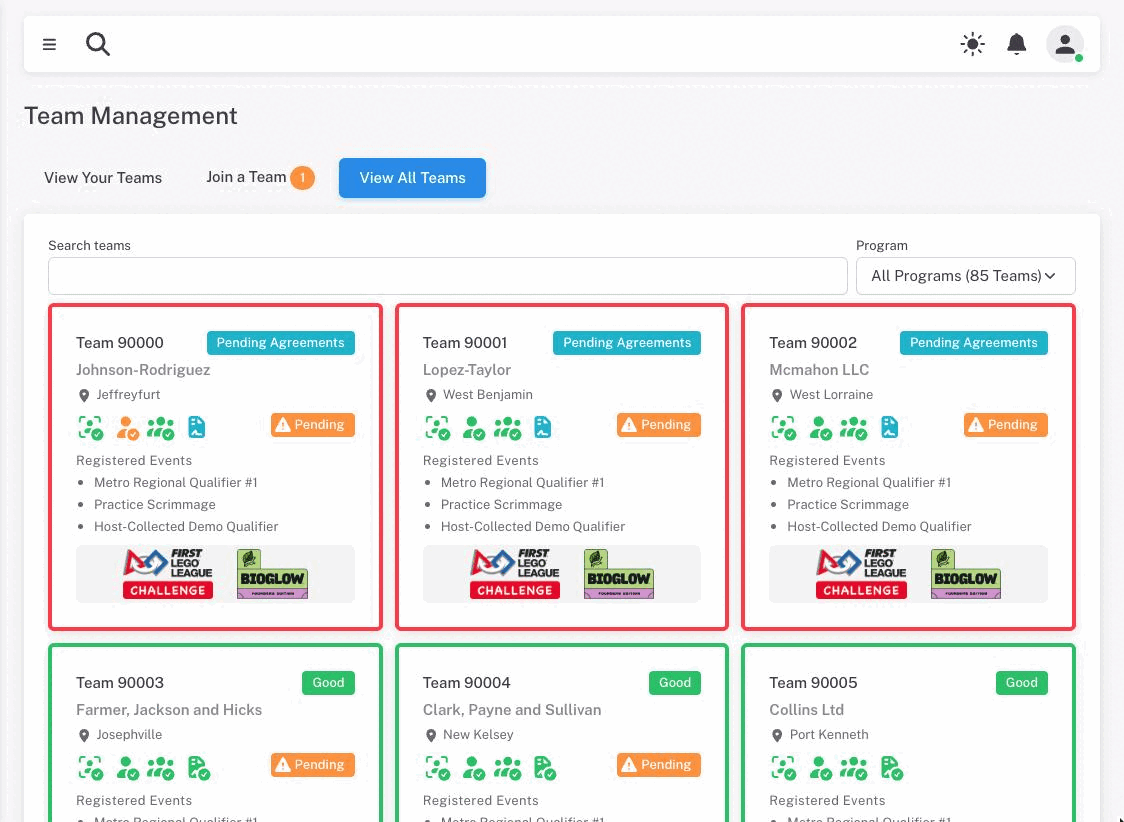
The View All Teams tab shows every team in your region’s public directory — the same listing available from the public site, so you do not have to log out to look something up.
You can search by team number, name, city, or organization, and filter by program. The count in the program filter tells you how many teams match.
Each card shows the team’s status, its compliance icons, and the events it is registered for.
Creating a Team
The Create a Team tab only appears if your region runs team signups through Lumieos rather than starting from FIRST registration. If you do not see it, teams in your region come from FIRST data and cannot be created here — see Joining or Adding a Team.
Where it is available, fill in the team name, city, state or province, and your own role, then click Create Team. If your region offers more than one thing to register for, pick one from What are you registering? — each option shows its program and its fee.
Note: A newly created team starts as a Draft with no team number. It is not active, and it cannot register for events, until the registration fee is paid. Open the team and use Pay & Register in the team header to do that. See Paying for a new team.