Referee — Quick Card
Device: the tablet at your competition table (or your phone) · Ask: the head referee
Your job: score the team at your table for each match, get the team’s agreement, record Gracious Professionalism (GP), and be ready for the next match.
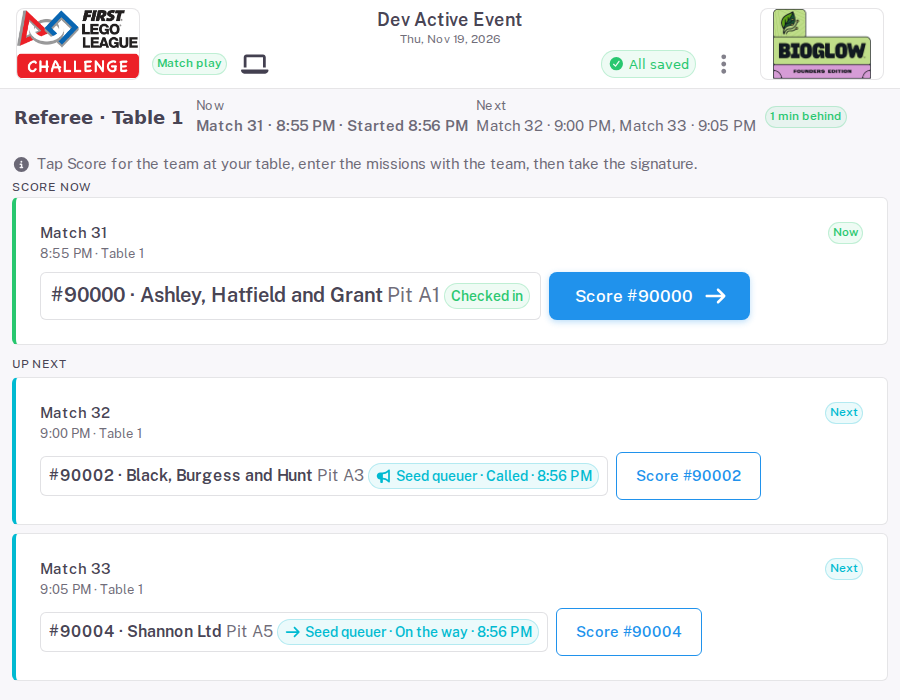
Start
- Tap Open <event name> on the tablet. It opens on Referee.
- The first time, pick which table this is. The header then reads “Referee · <table>”. If it shows the wrong table, tap the table name and change it.
Each match
- The screen shows the match that’s on now and the team at your table.
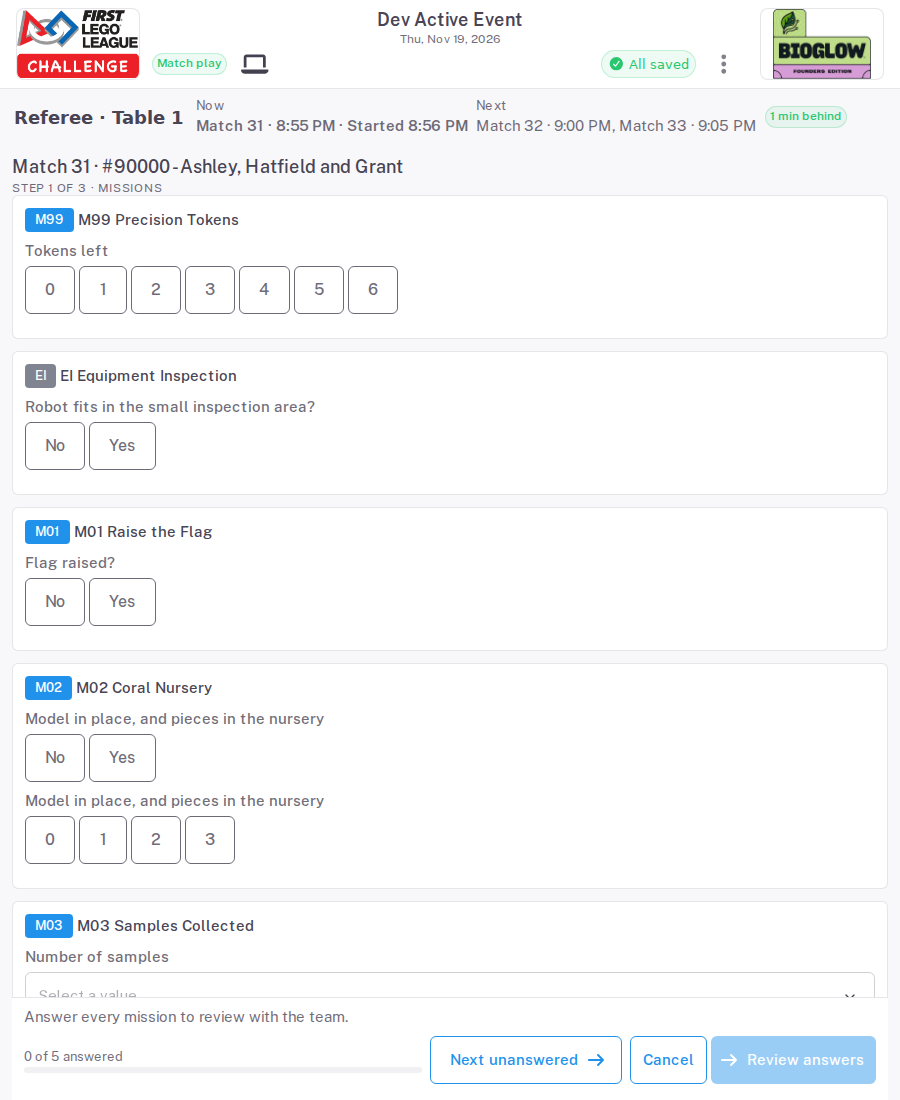
- Fill in the sheet from the state of the field at the end of the match. The bar at the bottom shows how many missions are done; next unanswered jumps to what is left. A question with more than one part counts as done only when every part is answered.
- Review the answers with the team. You never see a score, and neither do they.
- The team agrees: they type their initials or sign with a finger.
- Submit.
- Record GP: 2, 3, 4 or No show. Add a note unless it is 3. Only the tablet that submitted the sheet can record its GP; for any other sheet, ask the scorekeeper or head referee.
- The next match at your table opens.
If…
| Situation | Do |
|---|---|
| The team disputes a mission | Call the head referee. Don’t submit until it is settled. |
| You submitted a mistake | Tell the head referee. Only the head referee can change a submitted sheet. |
| The status line shows pending | Keep going. It sends when the network is back. |
| A message says someone else already scored this team | Call the head referee. Your sheet is kept. |
| The tablet relaunched mid-sheet | Open it again from Open <event name>: your sheet comes back. |
| The team is not at the table | The queuers and head referee handle it. Wait for the next match. |
Never reload the page, run a second scoring app, or score on paper unless the head referee asks you to.
Last updated on